大家好,这里是公众号 DBA学习之路,致力于分享数据库领域相关知识。

@TOC

前言

今天初八,开工大吉!祝大家新年快乐,发大财!

问题描述

一大早就有个客户找,说有个 Oracle 数据库,修改了 sys 密码,怎么都无法登录,一直报错:

1
2
3
4
5
6
7
8
9
10
11
12
13
14
## 修改 sys 密码成功
SQL> alter user sys identified by oracle;

User altered.

## 登录报错
[oracle@lucifer admin]$ sqlplus sys/oracle@lucifer as sysdba

SQL*Plus: Release 11.2.0.4.0 Production on Wed Feb 5 10:19:22 2025

Copyright (c) 1982, 2013, Oracle. All rights reserved.

ERROR:
ORA-01017: invalid username/password; logon denied

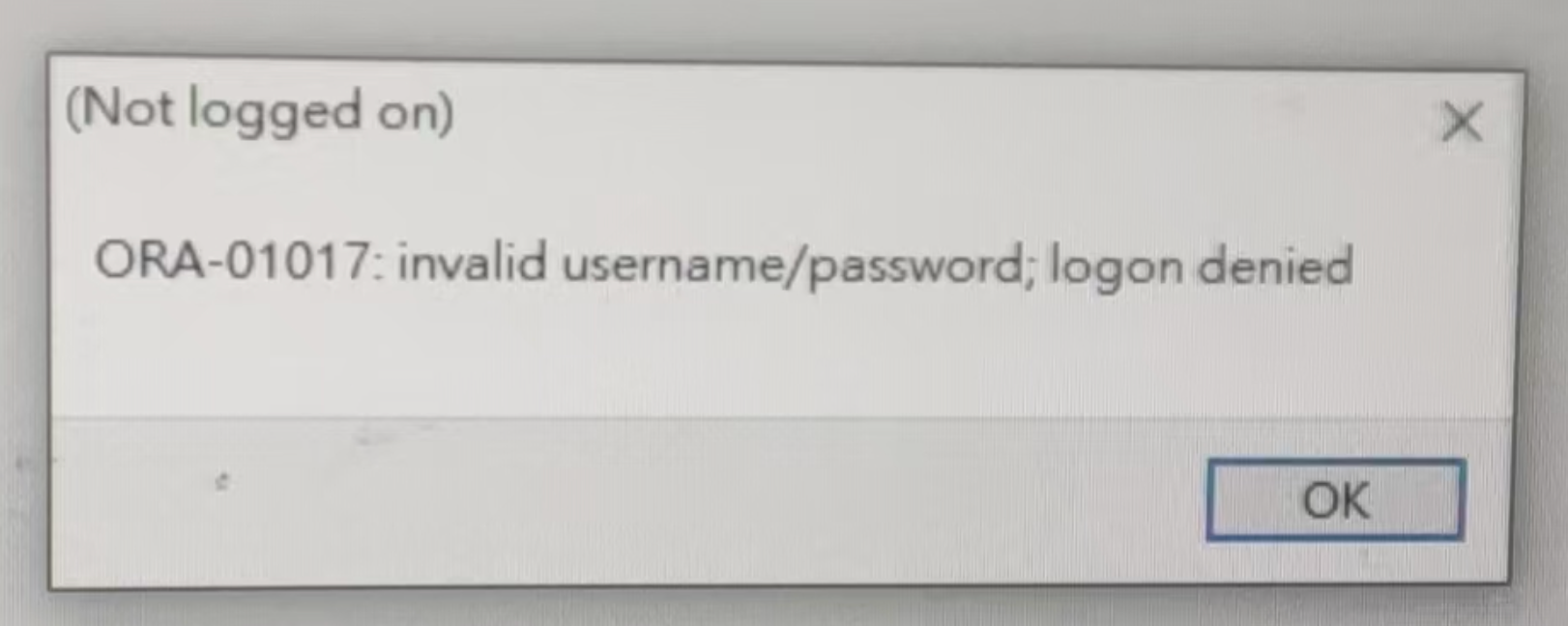
使用客户端工具连接报错:

这个问题看起来十分诡异,怎么会修改不了 sys 密码呢?

问题分析与解决

检查一下监听,监听状态是正常的:

1
2
3
4
5
6
7
8
9
10
11
12
13
14
15
16
17
18
19
20
21
22
23
24
25
26
27
[oracle@lucifer admin]$ lsnrctl stat

LSNRCTL for Linux: Version 11.2.0.4.0 - Production on 05-FEB-2025 09:54:25

Copyright (c) 1991, 2013, Oracle. All rights reserved.

Connecting to (DESCRIPTION=(ADDRESS=(PROTOCOL=IPC)(KEY=EXTPROC1521)))
STATUS of the LISTENER
------------------------
Alias LISTENER
Version TNSLSNR for Linux: Version 11.2.0.4.0 - Production
Start Date 05-FEB-2025 09:54:07
Uptime 0 days 0 hr. 0 min. 17 sec
Trace Level off
Security ON: Local OS Authentication
SNMP OFF
Listener Parameter File /u01/app/oracle/product/11.2.0/db/network/admin/listener.ora
Listener Log File /u01/app/oracle/diag/tnslsnr/lucifer/listener/alert/log.xml
Listening Endpoints Summary...
(DESCRIPTION=(ADDRESS=(PROTOCOL=ipc)(KEY=EXTPROC1521)))
(DESCRIPTION=(ADDRESS=(PROTOCOL=tcp)(HOST=lucifer)(PORT=1521)))
Services Summary...
Service "lucifer" has 1 instance(s).
Instance "lucifer", status READY, has 1 handler(s) for this service...
Service "luciferXDB" has 1 instance(s).
Instance "lucifer", status READY, has 1 handler(s) for this service...
The command completed successfully

检查一下 sqlnet 配置,没问题:

1
2
3
4
5
6
7
[oracle@lucifer admin]$ cat sqlnet.ora 
# sqlnet.ora Network Configuration File: /u01/app/oracle/product/11.2.0/db/network/admin/sqlnet.ora
# Generated by Oracle configuration tools.

NAMES.DIRECTORY_PATH= (TNSNAMES, EZCONNECT)

ADR_BASE = /u01/app/oracle

尝试了一下 tnsping,报错了:

1
2
3
4
5
6
7
8
9
10
[oracle@lucifer admin]$ tnsping lucifer

TNS Ping Utility for Linux: Version 11.2.0.4.0 - Production on 05-FEB-2025 09:55:37

Copyright (c) 1997, 2013, Oracle. All rights reserved.

Used parameter files:
/u01/app/oracle/product/11.2.0/db/network/admin/sqlnet.ora

TNS-03505: Failed to resolve name

怀疑有可能是 TNS 配置有问题,所以看了下配置:

1
2
3
4
5
6
7
8
LUCIFER =
(DESCRIPTION =
(ADDRESS = (PROTOCOL = TCP)(HOST = lucifer)(PORT = 1521))
(CONNECT_DATA =
(SERVER = DEDICATED)
(SERVICE_NAME = lucifer)
)
)

没道理啊,再一看,滑天下之大稽,原来是 TNS 文件名写错了 tnsname.ora

1
2
[oracle@lucifer admin]$ ls
listener.ora samples shrept.lst sqlnet.ora tnsname.ora

这里应该是 tnsnames.ora,少了个 s

1
[oracle@lucifer admin]$ mv tnsname.ora tnsnames.ora 

心想,这下总该好了吧:

1
2
3
4
5
6
7
8
9
10
11
12
13
[oracle@lucifer admin]$ tnsping lucifer

TNS Ping Utility for Linux: Version 11.2.0.4.0 - Production on 05-FEB-2025 10:12:46

Copyright (c) 1997, 2013, Oracle. All rights reserved.

Used parameter files:
/u01/app/oracle/product/11.2.0/db/network/admin/sqlnet.ora


Used TNSNAMES adapter to resolve the alias
Attempting to contact (DESCRIPTION = (ADDRESS = (PROTOCOL = TCP)(HOST = lucifer)(PORT = 1521)) (CONNECT_DATA = (SERVER = DEDICATED) (SERVICE_NAME = lucifer)))
OK (0 msec)

确实 tnsping 没问题了,再次尝试下连接 sys 用户:

1
2
3
4
5
6
7
8
[oracle@lucifer admin]$ sqlplus sys/oracle@lucifer as sysdba

SQL*Plus: Release 11.2.0.4.0 Production on Wed Feb 5 10:12:59 2025

Copyright (c) 1982, 2013, Oracle. All rights reserved.

ERROR:
ORA-01017: invalid username/password; logon denied

好家伙,还是报错,这么夸张吗?手动再次修改 sys 密码:

1
2
3
4
5
6
7
SQL> alter user sys identified by oracle;

User altered.

SQL> alter user system identified by oracle;

User altered.

再次尝试连接:

1
2
3
4
5
6
7
8
[oracle@lucifer admin]$ sqlplus sys/oracle@lucifer as sysdba

SQL*Plus: Release 11.2.0.4.0 Production on Wed Feb 5 10:13:25 2025

Copyright (c) 1982, 2013, Oracle. All rights reserved.

ERROR:
ORA-01017: invalid username/password; logon denied

擦,依然报错,试一下 system 用户连接:

1
2
3
4
5
6
7
8
9
10
11
12
13
[oracle@lucifer admin]$ sqlplus system/oracle@lucifer

SQL*Plus: Release 11.2.0.4.0 Production on Wed Feb 5 10:18:53 2025

Copyright (c) 1982, 2013, Oracle. All rights reserved.


Connected to:
Oracle Database 11g Enterprise Edition Release 11.2.0.4.0 - 64bit Production
With the Partitioning, OLAP, Data Mining and Real Application Testing options
SQL>
SQL>

啊,那看来就是 sys 用户本身有问题了,再看一下 sys 用户的状态:

1
2
3
4
5
6
7
8
9
10
11
12
13
14
15
16
17
18
19
20
SQL> set lines222 pages1000 
col username for a25
col account_status for a20
col default_tablespace for a20
col temporary_tablespace for a20
col profile for a20
SELECT username,
account_status,
default_tablespace,
temporary_tablespace,
created,
profile
FROM dba_users
WHERE account_status = 'OPEN'
ORDER BY created;

USERNAME ACCOUNT_STATUS DEFAULT_TABLESPACE TEMPORARY_TABLESPACE CREATED PROFILE
------------------------- -------------------- -------------------- -------------------- ------------------ --------------------
SYSTEM OPEN SYSTEM TEMP 24-AUG-13 DEFAULT
SYS OPEN SYSTEM TEMP 24-AUG-13 DEFAULT

这也没问题啊,那怎么回事呢?看一下是不是密码文件有问题啊?不看不知道,一看吓一跳:

1
2
3
4
5
6
[oracle@lucifer dbs]$ ll
total 16
-rw-rw---- 1 oracle oinstall 1544 Jun 29 2023 hc_lucifer.dat
-rw-r--r--. 1 oracle oinstall 2851 May 15 2009 init.ora
-rw-r----- 1 oracle oinstall 24 Oct 15 2021 lkLUCIFER
-rw-r----- 1 oracle oinstall 3584 Jun 29 2023 spfilelucifer.ora

好家伙,没有密码文件,好吧,怪不得怎么改都没用,手动新建一个密码文件:

1
[oracle@lucifer dbs]$ orapwd file=orapwlucifer password=oracle

再次尝试连接 sys 用户:

1
2
3
4
5
6
7
8
9
10
11
12
13
[oracle@lucifer dbs]$ sqlplus sys/oracle@lucifer as sysdba

SQL*Plus: Release 11.2.0.4.0 Production on Wed Feb 5 10:23:17 2025

Copyright (c) 1982, 2013, Oracle. All rights reserved.


Connected to:
Oracle Database 11g Enterprise Edition Release 11.2.0.4.0 - 64bit Production
With the Partitioning, OLAP, Data Mining and Real Application Testing options

SQL>
SQL>

bingo,可以连了,真坑啊!!!结束。

写在最后

这个问题解决过程虽然比较简单,但是涉及基础知识点也不少,记录分享,以作参考。