[root@gbase8s ~]# setenforce 0 [root@gbase8s ~]# sed -i 's/SELINUX=enforcing/SELINUX=disabled/g' /etc/selinux/config [root@gbase8s ~]# cat /etc/selinux/config | grep SELINUX= # SELINUX= can take one of these three values: SELINUX=disabled
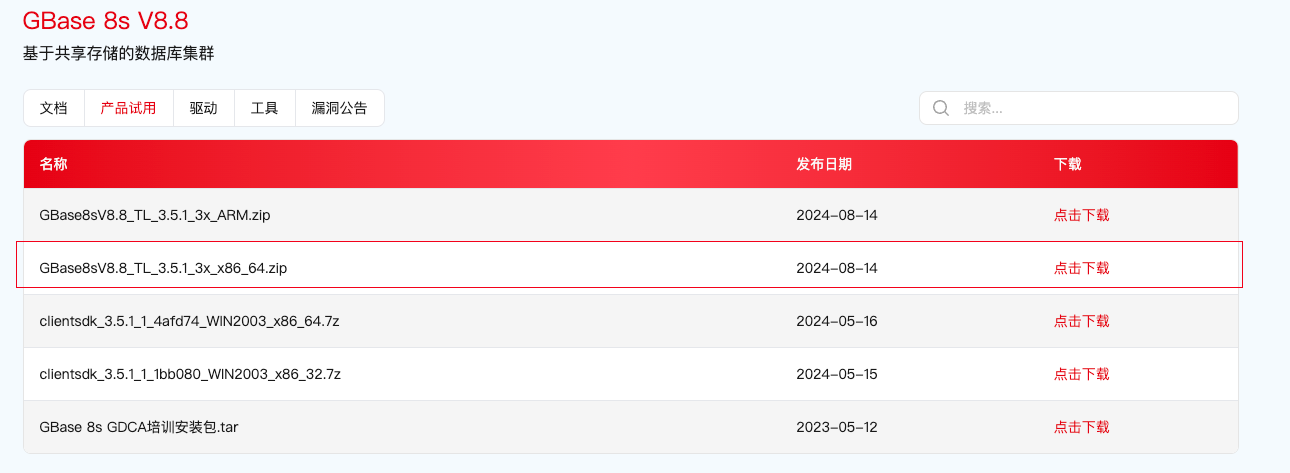
在 root 用户下,进入安装包目录,运行安装命令 sh ids_install,启动安装程序即可:
1 2 3 4 5 6 7 8
[root@gbase8s soft]# sh ids_install -i swing Preparing to install... Extracting the JRE from the installer archive... Unpacking the JRE... Extracting the installation resources from the installer archive... Configuring the installer for this system's environment... Launching installer...
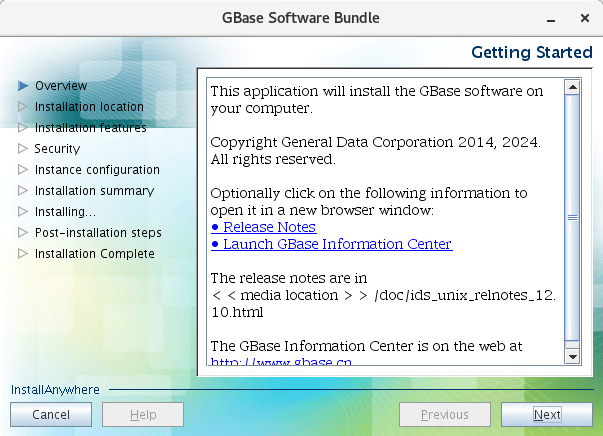
启动图形化安装程序:
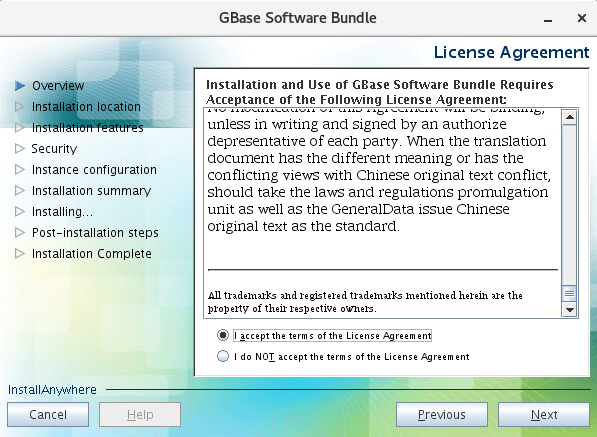
注意,这里需要把许可协议拉到底才可以选择接受:
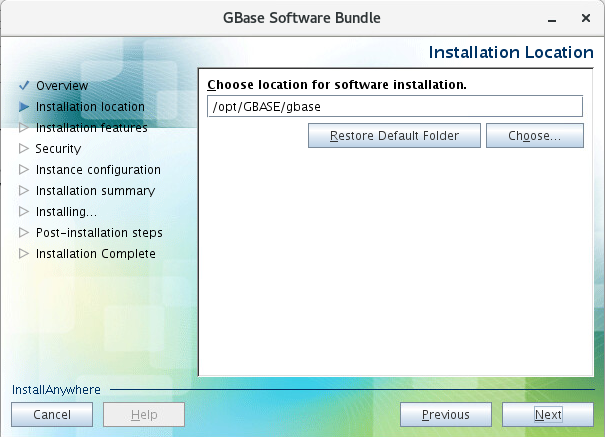
选择安装目录:
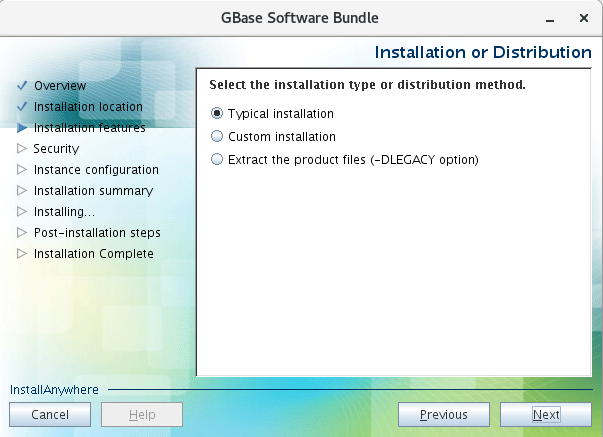
选择典型安装(安装所有组件),这里如果选择自定义安装,就是可以选择安装哪些组件:
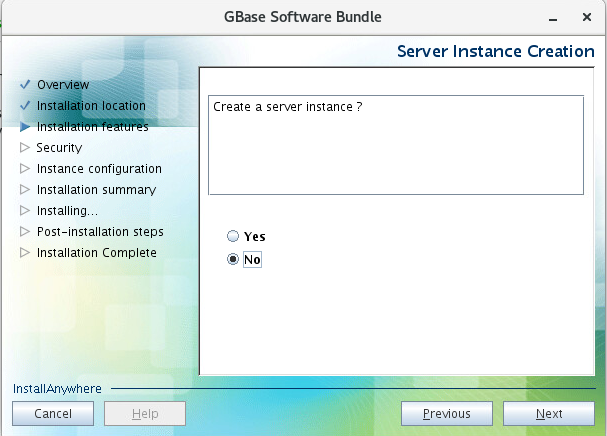
不创建数据库实例:
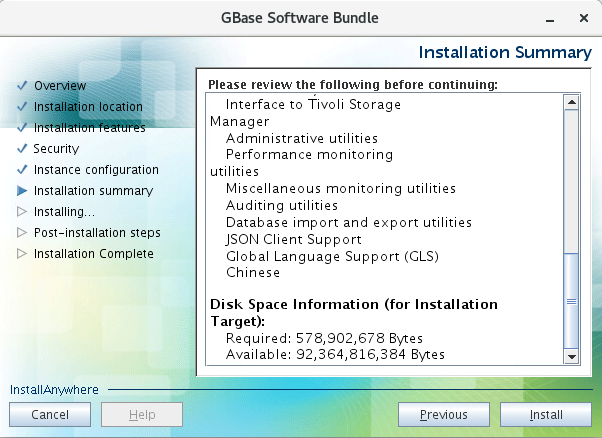
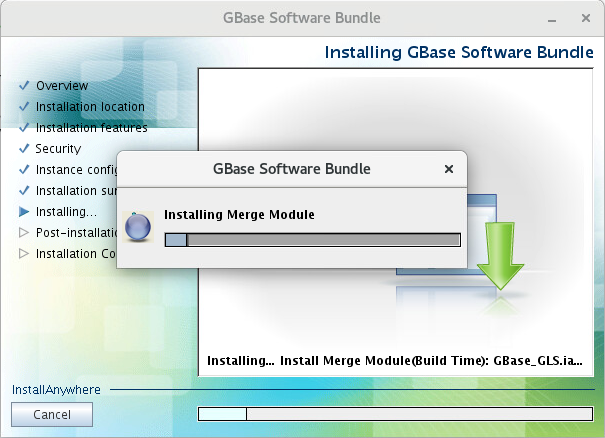
开始安装:
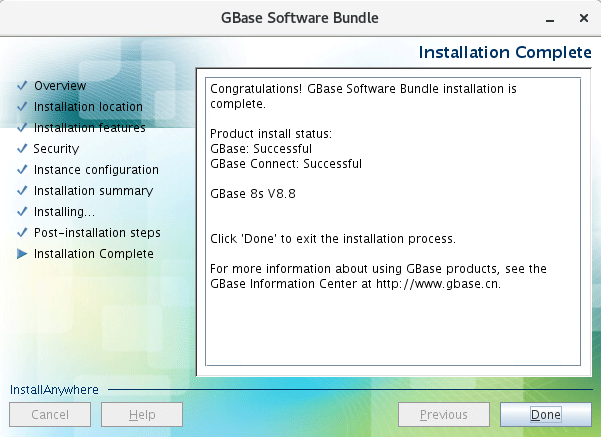
至此,GBase 8s 数据库的组件,全部安装完成。
命令行安装
在 root 用户下,进入安装包目录,运行安装命令 sh ids_install -i console(命令行不指定 -i 也可以),启动安装程序即可:
[root@gbase8s soft]# sh ids_install -i console Preparing to install... Extracting the JRE from the installer archive... Unpacking the JRE... Extracting the installation resources from the installer archive... Configuring the installer for this system's environment... Launching installer... =============================================================================== GBase Software Bundle (created with InstallAnywhere) ------------------------------------------------------------------------------- Preparing CONSOLE Mode Installation... =============================================================================== Getting Started --------------- This application will guide you through the installation of GBase Software Bundle. Copyright General Data Corporation 2014, 2024. All rights reserved. 1. Release Notes The Release Notes can be found in /soft/doc/ids_unix_relnotes_12.10.html. 2. Launch Information Center Access the GBase Information Center at http://www.gbase.cn. To Begin Installation, respond to each prompt to proceed to the next step in the installation. If you want to change something on a previous step, type 'back'. You may cancel this installation at any time by typing 'quit'. PRESS <ENTER> TO CONTINUE:
=============================================================================== Installation or Distribution ----------------------------
Select the installation type.
Typical: Install the database server with all features and a database server that is configured with default values. Includes: ** Client Software Development Kit (CSDK) ** Java Database Connectivity (JDBC) Minimum disk space required: 700-800MB
Custom: Install the database server with specific features and software that you need. Optionally install a configured database server instance. Minimum disk space required: 75 MB (without a server instance)
=============================================================================== Server Instance Creation ------------------------
Create a server instance?
->1- Yes - create an instance 2- No - do not create an instance
ENTER THE NUMBER FOR YOUR CHOICE, OR PRESS <ENTER> TO ACCEPT THE DEFAULT:: 2 # 重要说明: # 这个选择很重要,选择不创建实例,不但可以减少你的整体安装时间,也会让你对这款数据库,有更深入地了解。 # 安装过程中,自动创建一个数据库实例,在个别情况下,可能出现安装后,不能创建数据库现象(执行 create database 卡住,一段时间后报错退出)。这个问题的原因是sqlhosts 文件中使用了机器名,需要我们修改成服务器的 IP 地址,并重启数据库,就可以解决。也许有其它好的解决方法,不过这是我目前知道的一个方法,而且好用。
[root@gbase8s soft]# sh ids_install -i swing -r /soft/bundle.properties Preparing to install... Extracting the JRE from the installer archive... Unpacking the JRE... Extracting the installation resources from the installer archive... Configuring the installer for this system's environment... Launching installer...
SEARCHING FOR GBASE INSTALL FOLDER, PLEASE WAIT FOR SECONDS... GBASE INSTALL FOLDER LIST: 1) /opt/GBASE/gbase CHOOSE GBASE INSTALL FOLDER(GBASEDBTDIR) [Default:/opt/GBASE/gbase]:
输入数据库服务器 IP 地址(默认为本机 IP,若不是则手动修改为本机 IP),回车继续:
1 2 3 4 5
CHOOSE SERVICE IP ADDRESS FROM THE LIST: 1) 192.168.6.96 2) 127.0.0.1 3) 192.168.122.1 ENTER THE NUMBER FOR YOUR CHOICE [Default:192.168.6.96]:
输入监听端口号(默认 9088),回车继续:
1
SPECIFY THE PORT NUMBER FOR GBASE [Default:9088]:
初始化的类型,建议选择 CUSTOM,自定义特性,回车继续:
1 2 3 4
INITIALIZE TYPE: 1) TYPICAL -- Initialize the instance with all features configured with default values. 2) CUSTOM -- Initialize the instance with specific features that you need. ENTER THE NUMBER FOR YOUR CHOICE [Default:1]: 2
选择数据库字符集(默认为 en_US.8859-1),这里选择 utf8:
字符集名称
编码
8859-1
819
gb
57357
GB2312-80
57357
utf8
57372
big5
57352
GB18030-2000
5488
1 2 3 4 5
GBASE CHARACTER SET LIST: 1) en_US.8859-1 2) zh_CN.GB18030-2000 3) zh_CN.utf8 ENTER THE NUMBER FOR YOUR CHOICE [Default:1]: 3
数据保存目录,默认即可,回车继续:
1
ENTER THE DATA SPACE PATH [Default:/opt/GBASE/gbase/gbaseserver_dbs]:
保存逻辑日志的数据库空间大小,建议输入 200,回车继续:
1 2
# 说明:这个地方指定的值很大时,数据库会按该值分配磁盘空间,可能用时较长。 ENTER THE LOGICAL LOG DBSPACE SIZE(MB) [Default:8880]: 200
保存物理日志的数据库空间大小,建议输入 200,回车继续:
1 2
# 说明:这个地方指定的值很大时,数据库会按该值分配磁盘空间,可能用时较长。 ENTER THE PHYSICAL LOG DBSPACE SIZE(MB) [Default:8880]: 200
保存 LOB 数据的数据库空间大小,建议输入 100,回车继续:
1 2
# 说明:这个地方指定的值很大时,数据库会按该值分配磁盘空间,可能用时较长。 ENTER THE SMART LOB DBSPACE SIZE(MB) [Default:1806]: 100
保存临时数据的数据库空间大小,建议输入 100,回车继续:
1 2
# 说明:这个地方指定的值很大时,数据库会按该值分配磁盘空间,可能用时较长。 ENTER THE TEMPORARY DBSPACE SIZE(MB) [Default:1806]: 100
是否需要进行一些高级设置,输入 Y,回车继续:
1
ENTER "Y" TO START DATABASE ADVANCED SETTINGS, OR ENTER "N" TO ACCEPT DEFAULT VALUES: [Default:N]: Y
需要创建几个保存数据的数据库空间,我们输入 5,回车继续:
1 2
# 提示:这点很重要,方便我们后面学习分片表。 ENTER THE NUMBER OF DATA DBSPACES [Default:1]: 5
需要创建几个保存临时数据的数据库空间,我们输入 3,回车继续:
1
ENTER THE NUMBER OF TEMP DBSPACES [Default:1]: 3
是否启用 GL_USEGLU(默认不启用),回车继续:
1
Enter "Y" TO ENABLE ENVIRONMENT GL_USEGLU, OR ENTER "N" TO DISABLE: [Default:N]:
安装前列出了创建实例的清单,输入 Y,回车继续:
1 2 3 4 5 6 7 8 9 10 11 12 13 14 15 16
INSTANCE SUMMARY: Instance name: gbaseserver GBase install directory: /opt/GBASE/gbase IP address & port: 192.168.6.96:9088 Character set: zh_CN.utf8 Logical log space size: 200 MB Physical log space size: 200 MB Smart LOB space size: 100 MB Temp DBSpace size: 100 MB Data path: /opt/GBASE/gbase/gbaseserver_dbs Data path free size: 87985 MB The number of data DBSpace: 5 The number of temp DBSpace: 3 Environment GL_USEGLU: 0
Enter "Y" to Start database initializing, or Enter "N" to Edit Again: Y
Touching Chunks...OK Create sqlhosts File: /opt/GBASE/gbase/etc/sqlhosts.gbaseserver ...OK Setting Parameters in /opt/GBASE/gbase/etc/onconfig.gbaseserver : ROOTPATH.ROOTSIZE.DBSERVERNAME.FULL_DISK_INIT.SBSPACENAME.SYSSBSPACENAME.DBSPACETEMP.LOGFILES.MULTIPROCESSOR.VPCLASS.NETTYPE.CLEANERS.DEF_TABLE_LOCKMODE.DIRECT_IO.LOCKS.TAPEDEV.LTAPEDEV.CKPTINTVL.DS_MAX_QUERIES.DS_TOTAL_MEMORY.DS_NONPDQ_QUERY_MEM.PHYSBUFF.LOGBUFF.AUTO_TUNE.MSGPATH.SERVERNUM.ALLOW_NEWLINE.TEMPTAB_NOLOG.DUMPSHMEM.USEOSTIME.STACKSIZE.ON_RECVRY_THREADS.OFF_RECVRY_THREADS.USELASTCOMMITTED.SHMVIRTSIZE.SHMADD.GBASEDBTCONTIME.BUFFERPOOL2K.BUFFERPOOL16K...AUTO_CKPTS.OK Initializing Root DBSpace & Share Memory...OK Creating system database.......OK Creating logical log Dbspace...OK Creating physical log Dbspace...OK Creating smart LOB Dbspace...OK Creating temp Dbspace.1.2.3...OK Creating data Dbspace.1.2.3.4.5...OK Setting dbscheduler...OK Moving physical log...OK Adding 20 logical logs: 1.2.3.4.5.6.7.8.9.10.11.12.13.14.15.16.17.18.19.20...OK Setting data chunks extendable...OK Cleaning logical logs in rootdbs...Your evaluation license will expire on 2025-10-10 00:00:00 .Your evaluation license will expire on 2025-10-10 00:00:00 .Your evaluation license will expire on 2025-10-10 00:00:00 .Your evaluation license will expire on 2025-10-10 00:00:00 ...OK Database restarting.......Your evaluation license will expire on 2025-10-10 00:00:00 OK Creating database: gbasedb...OK
Now you can use this URL to connect to gbasedb: jdbc:gbasedbt-sqli://192.168.6.96:9088/gbasedb:GBASEDBTSERVER=gbaseserver;DB_LOCALE=zh_CN.utf8;CLIENT_LOCALE=zh_CN.utf8;NEWCODESET=UTF8,utf8,57372;
Version: Your evaluation license will expire on 2025-10-10 00:00:00 On-Line (CKPT INP) -- Up 00:00:16 -- 4275148 Kbytes Build Number: 3.5.1_3X1_3_28a3a6
[2024-10-10 16:46:00] The SYSDBA user is: gbasedbt [2024-10-10 16:46:00] IPADDR: 0.0.0.0 [2024-10-10 16:46:00] Datadir: /data/gbase User: gbasedbt exists, you must delete gbasedbt user and group !
-d path The path of dbspace. -i path The path of install software. -p path The path of home path. -s y|n Value of dbspace is 1GB? Yes/No, default is N. -u user The user name for SYSDBA, gbasedbt, default is gbasedbt -l locale DB_LOCALE/CLIENT_LOCALE/SERVER_LOCALE value. -o y|n Only install software? Yes/No, default is N. -n NAME Servername, default is gbase01. -c NUM Number of CPU use. -m NUM Number of MB Memory use. -t TYPE Type of instance will install, [small], if use this, ignore -c and -m. -a y|n Security need, default N.
## 查看数据库锁 dbaccess sysmaster - << EOF select username,sid,waiter,dbsname,tabname,rowidlk,keynum,type from sysmaster:syslocks a,sysmaster:syssessions b where b.sid=a.owner and dbsname='lucifer'; EOF
## 查看表空间使用率 dbaccess sysmaster - << EOF SELECT st.dbsname databasename, st.tabname, MAX(dbinfo('UTC_TO_DATETIME',sin.ti_created)) createdtime, SUM( sin.ti_nextns ) extents, SUM( sin.ti_nrows ) nrows, MAX( sin.ti_nkeys ) nkeys, MAX( sin.ti_pagesize ) pagesize, SUM( sin.ti_nptotal ) nptotal, round(SUM( sin.ti_nptotal*sd.pagesize )/1024/1024,2)||'MB' total_size, SUM( sin.ti_npused ) npused, round(SUM( sin.ti_npused*sd.pagesize )/1024/1024,2)||'MB' used_size, SUM( sin.ti_npdata ) npdata, round(SUM( sin.ti_npdata*sd.pagesize )/1024/1024,2)||'MB' data_size FROM sysmaster:systabnames st, sysmaster:sysdbspaces sd, sysmaster:systabinfo sin WHERE sd.dbsnum = trunc(st.partnum / 1048576) AND st.partnum = sin.ti_partnum AND st.dbsname NOT IN ('sysmaster','sysuser','sysadmin','sysutils','sysha','syscdr','syscdcv1') AND st.tabname[1,3] NOT IN ('sys','TBL') GROUP BY 1, 2 ORDER BY 9 DESC; EOF
## 查看 dbspace 使用率 dbaccess sysmaster - << EOF SELECT A.dbsnum as No, trim(B.name) as name, CASE WHEN (bitval(B.flags,'0x10')>0 AND bitval(B.flags,'0x2')>0) THEN 'MirroredBlobspace' WHEN bitval(B.flags,'0x10')>0 THEN 'Blobspace' WHEN bitval(B.flags,'0x2000')>0 AND bitval(B.flags,'0x8000')>0 THEN 'TempSbspace' WHEN bitval(B.flags,'0x2000')>0 THEN 'TempDbspace' WHEN (bitval(B.flags,'0x8000')>0 AND bitval(B.flags,'0x2')>0) THEN 'MirroredSbspace' WHEN bitval(B.flags,'0x8000')>0 THEN 'SmartBlobspace' WHEN bitval(B.flags,'0x2')>0 THEN 'MirroredDbspace' ELSE 'Dbspace' END as dbstype, round(sum(chksize)*2/1024/1024,2)||'GB' as DBS_SIZE , round(sum(decode(mdsize,-1,nfree,udfree))*2/1024/1024,2)||'GB' as free_size, case when sum(decode(mdsize,-1,nfree,udfree))*100/sum(decode(mdsize,-1,chksize,udsize)) >sum(decode(mdsize,-1,nfree,nfree))*100/sum(decode(mdsize,-1,chksize,mdsize)) then TRUNC(100-sum(decode(mdsize,-1,nfree,nfree))*100/sum(decode(mdsize,-1,chksize,mdsize)),2)||"%" else TRUNC(100-sum(decode(mdsize,-1,nfree,udfree))*100/sum(decode(mdsize,-1,chksize,udsize)),2)||"%" end as used, TRUNC(MAX(A.pagesize/1024))||"KB" as pgsize, MAX(B.nchunks) as nchunks FROM syschktab A, sysdbstab B WHERE A.dbsnum = B.dbsnum GROUP BY A.dbsnum,name, 3 ORDER BY A.dbsnum; EOF
## 查看数据库信息 dbaccess sysmaster - << EOF SELECT trim(name) dbname,trim(owner) owner, created||' T' created_time, TRIM(DBINFO('dbspace',partnum)) AS dbspace, CASE WHEN is_logging+is_buff_log=1 THEN "Unbuffered logging" WHEN is_logging+is_buff_log=2 THEN "Buffered logging" WHEN is_logging+is_buff_log=0 THEN "No logging" ELSE "" END Logging_mode FROM sysdatabases where trim(name) not like 'sys%'; EOF
## 查看实例信息 dbaccess sysmaster - << EOF select dbinfo('UTC_TO_DATETIME',sh_boottime)||' T' start_time, (current year to second - dbinfo('UTC_TO_DATETIME',sh_boottime))||' T' run_time, sh_maxchunks as maxchunks, sh_maxdbspaces maxdbspaces, sh_maxuserthreads maxuserthreads, sh_maxtrans maxtrans, sh_maxlocks locks, sh_longtx longtxs, dbinfo('UTC_TO_DATETIME',sh_pfclrtime)||' T' onstat_z_running_time from sysshmvals; EOF
## 查看字符集 dbaccess sysmaster - << EOF select * from sysdbslocale where dbs_dbsname='lucifer'; EOF
dbs_dbsname lucifer dbs_collate zh_CN.57372
GBase 8s 卸载
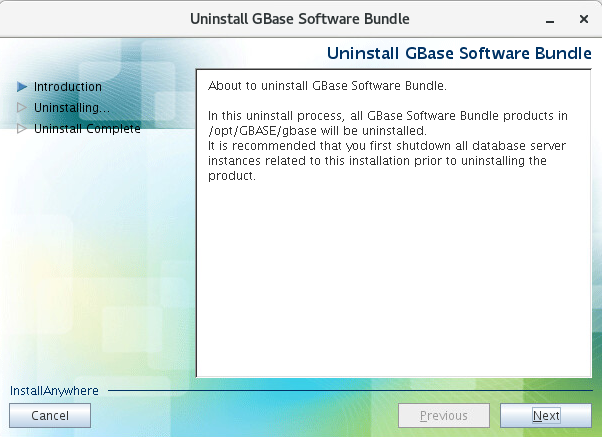
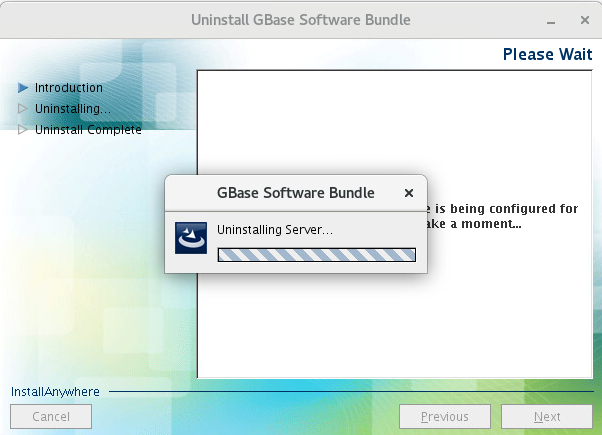
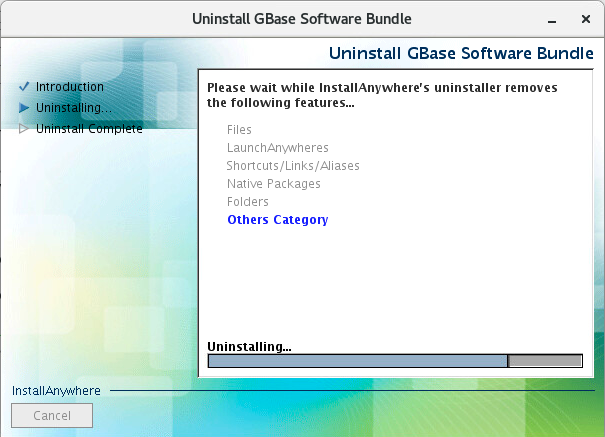
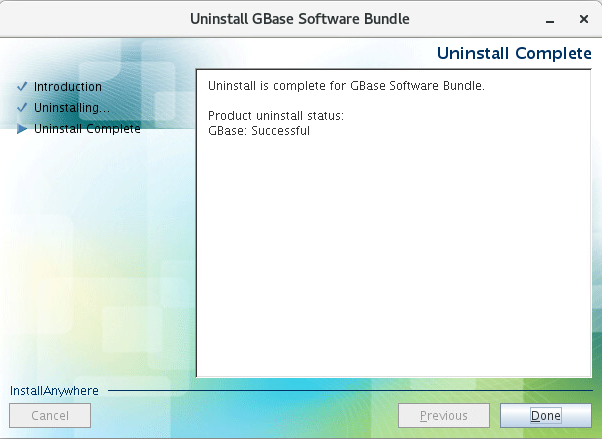
GBase 8s提供了一个卸载程序,用于卸载 GBase 8s 数据库组件与数据:
1
2
3
[root@gbase8s soft]# cd /opt/GBASE/gbase/uninstall/uninstall_ids/
[root@gbase8s uninstall_ids]# ll uninstallids
-rwxr-xr-x. 1 root root 74206 Oct 10 13:25 uninstallids
In this uninstall process, all GBase Software Bundle products in /opt/GBASE/gbase will be uninstalled. It is recommended that you first shutdown all database server instances related to this installation prior to uninstalling the product.
PRESS <ENTER> TO CONTINUE:
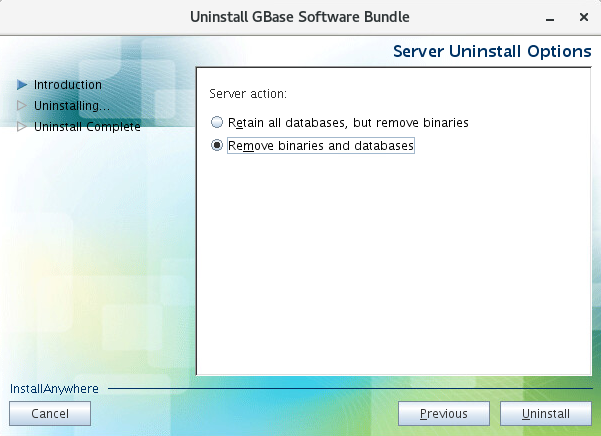
=============================================================================== Server Uninstall Options ------------------------
Server action:
Important: Choosing to remove all databases will remove all database chunks, environment files, registry entries, and message log files for all database server instances associated with this installation.
->1- Retains all databases, but removes all server binaries 2- Removes server binaries and all databases associated with them
ENTER THE NUMBER FOR YOUR CHOICE, OR PRESS <ENTER> TO ACCEPT THE DEFAULT:: 2