openGauss每日一练第8天 | 分区表的基本管理
openGauss 每日一练第 8 天打卡,我来了!又可以学习,真开心~
学习
今天第 8 课,学习 openGauss 分区表!
分区表是把逻辑上的一张表根据某种方案分成几张物理块进行存储,这张逻辑上的表称之为分区表,物理块称之为分区。
分区表是一张逻辑表,不存储数据,数据实际是存储在分区上的。
课后作业打卡
1.创建一个含有5个分区的范围分区表store,在每个分区中插入记录
1 | create table store |
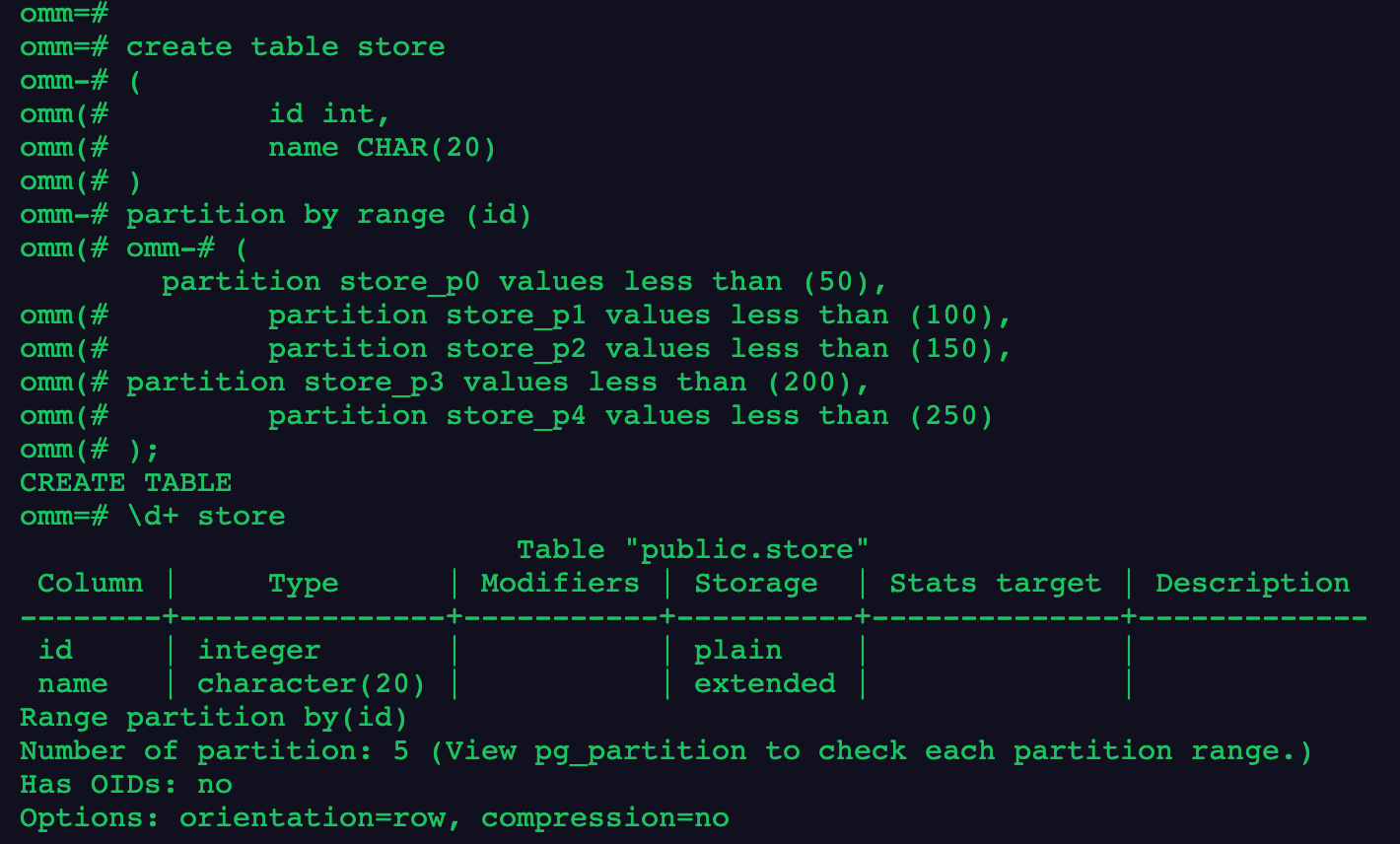
2.查看分区1上的数据
1 | insert into store values (1,'a'),(51,'b'),(101,'c'),(151,'d'),(201,'e'); |

3.重命名分区2
1 | alter table store rename partition store_p2 to store_lucifer2; |

4.删除分区5
1 | alter table store drop partition store_p4; |

5.增加分区6
1 | alter table store add partition store_p5; |
6.在系统表pg_partition中查看分区信息
1 | select * from pg_partition; |
7.删除分区表
1 | drop table store; |
写在最后
今天的作业打卡结束!🎉
本博客所有文章除特别声明外,均采用 CC BY-NC-SA 4.0 许可协议。转载请注明来源 三笠の博客!
