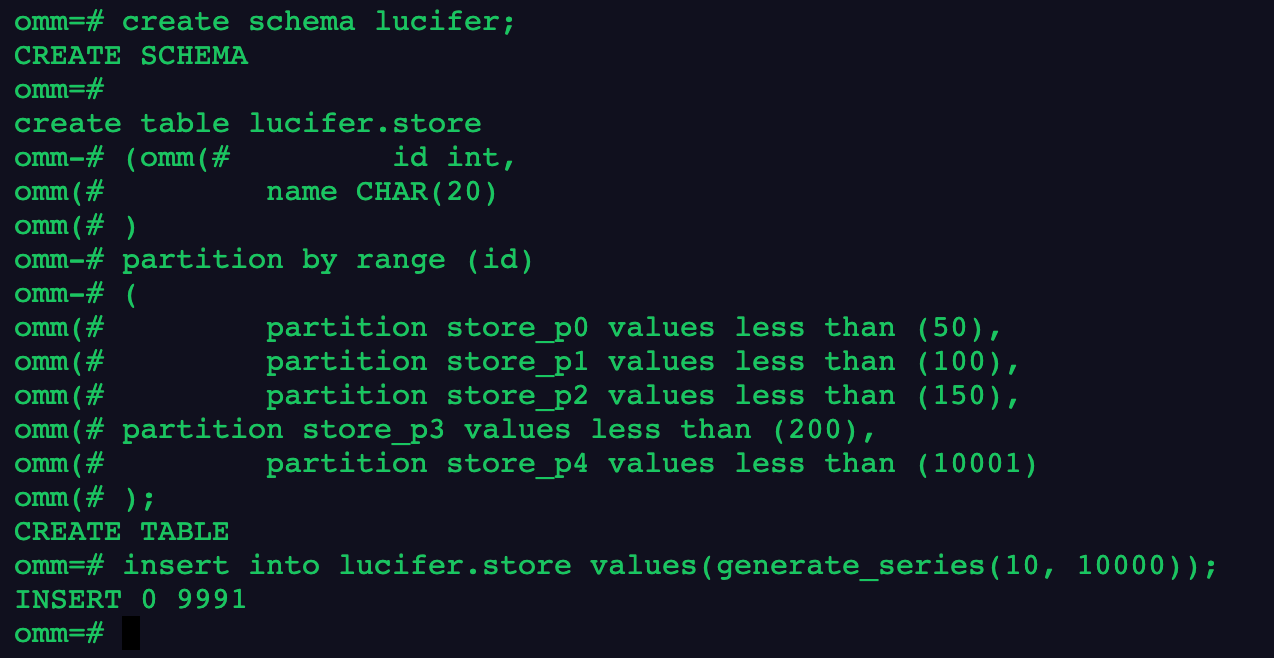
create schema lucifer; create table lucifer.store ( id int, name CHAR(20) ) partitionbyrange (id) ( partition store_p0 values less than (50), partition store_p1 values less than (100), partition store_p2 values less than (150), partition store_p3 values less than (200), partition store_p4 values less than (10001) ); insert into lucifer.store values(generate_series(10, 10000));
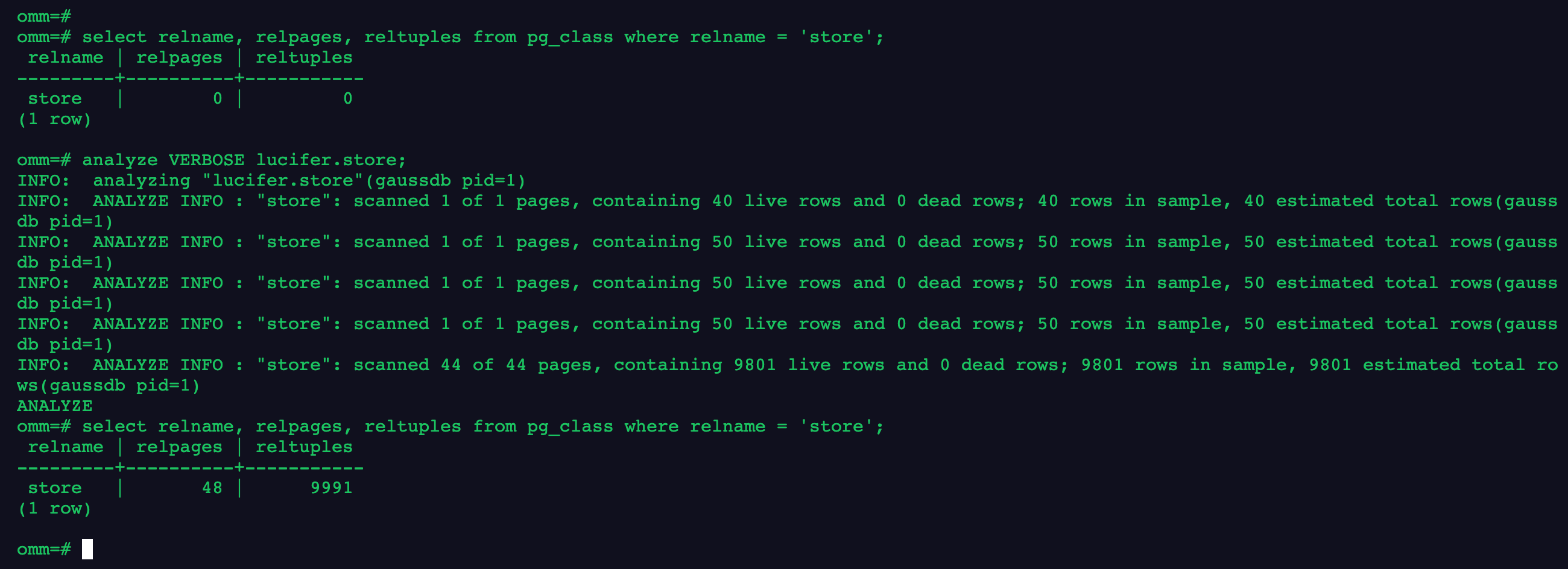
2.收集表统计信息
1
2
3
select relname, relpages, reltuples from pg_class where relname ='store'; analyze VERBOSE lucifer.store; select relname, relpages, reltuples from pg_class where relname ='store';
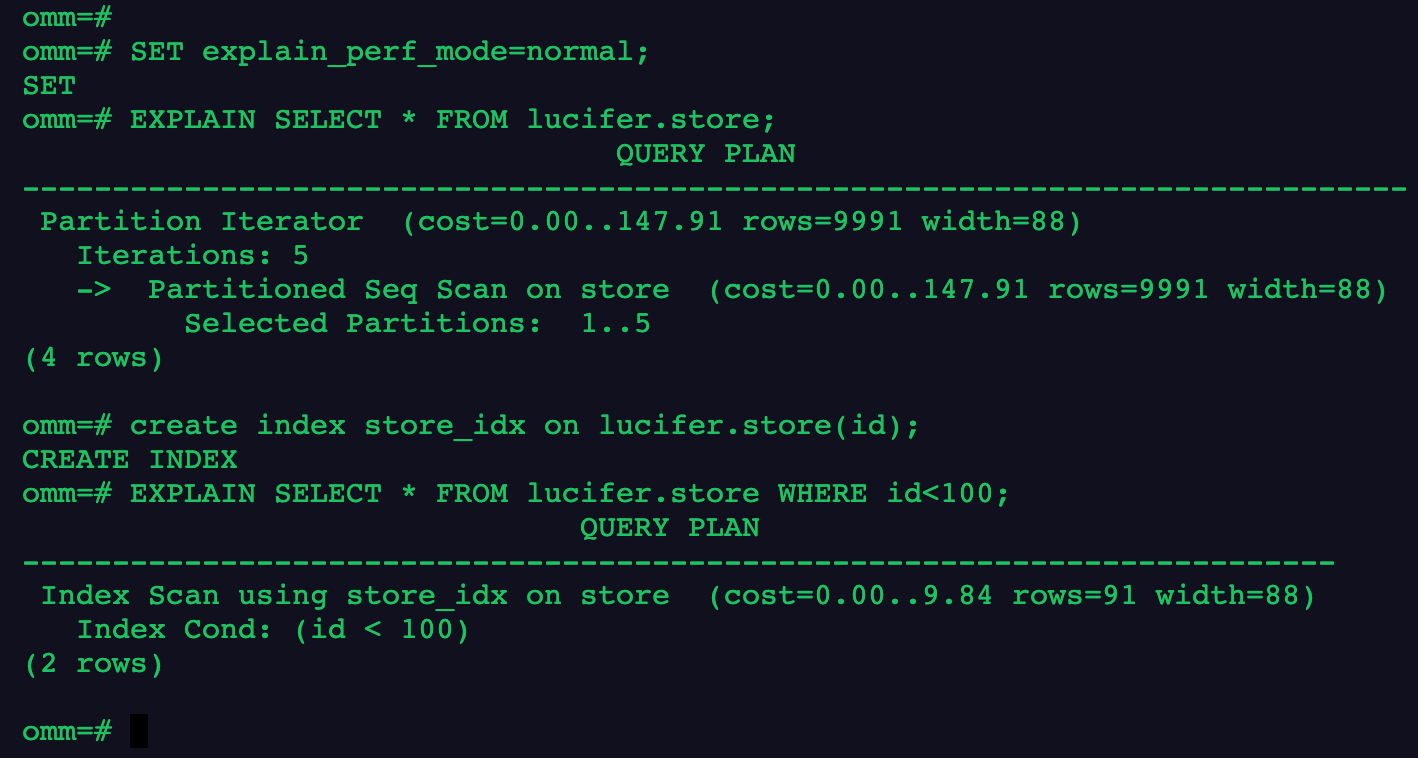
3.显示简单查询的执行计划;建立索引并显示有索引条件的执行计划
1
2
3
4
SET explain_perf_mode=normal; EXPLAIN SELECT*FROM lucifer.store; create index store_idx on lucifer.store(id); EXPLAIN SELECT*FROM lucifer.store WHERE id<100;
4.更新表数据,并做垃圾收集
1
2
update lucifer.store set id = id +1where id <100; VACUUM (VERBOSE, ANALYZE) lucifer.store;
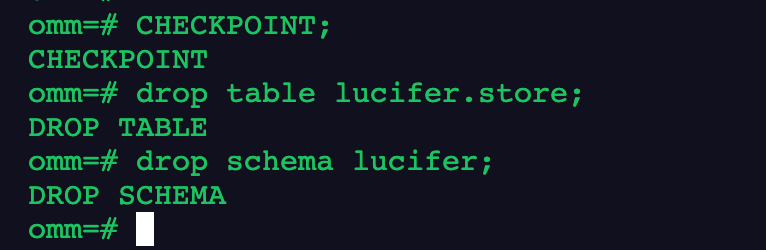
5.清理数据
1
2
3
CHECKPOINT; droptable lucifer.store; drop schema lucifer;